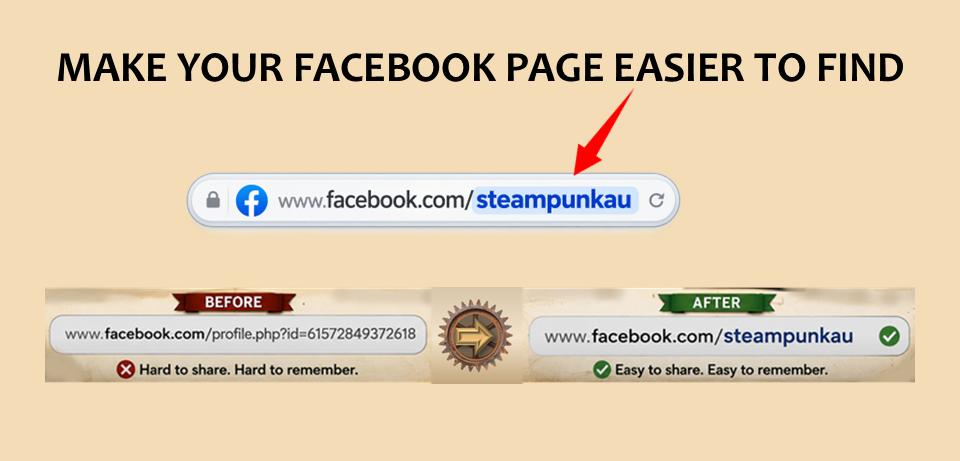
Before you start promoting your event, make sure people can actually find your Facebook Page.
Facebook lets you create a custom username for your Page. Your username becomes the simple web address you can put on posters, flyers, websites and advertisements.
Instead of something horrible like:
facebook.com/profile.php?id=100087346829174
you can have:
facebook.com/SteampunkExtravaganza
or:
facebook.com/MySteampunkFestival
Much easier.
How to create your Facebook Page username
On a computer:
- Log into Facebook.
- Click your profile picture in the top-right corner.
- Select See all profiles and switch into your event or organisation's Page.
- Click the Page profile picture.
- Go to Settings & privacy → Settings.
- Select Page setup.
- Open Name.
- Under General Page Settings, find Username and click Edit.
- Enter the username you want and save it.
Changing the username also changes the Page's Facebook web address.
Choose the right username
Keep it as close to your event name as possible.
If your event is called Clockwork & Steam Festival, try:
facebook.com/ClockworkAndSteam
rather than:
facebook.com/clockworksteamfestival2026australia
Shorter is better.
Your Facebook username must be unique. Facebook currently allows letters, numbers and full stops in usernames.
Use the same address everywhere
Once you have it, use it consistently:
facebook.com/YourEvent
Put it on your:
- event posters
- flyers
- market applications
- email signatures
- website
- business cards
- sponsorship material
- printed programs
- signs at the event
And don't write “Find us on Facebook” and expect people to search for you.
Give them the address.